Plain-Language Explainer
How DrawSplatTM complies with Texas student-privacy law.
This page is written in plain language for school administrators, teachers, and parents who want to understand what DrawSplatTM does to align with Texas laws and federal rules that apply to K–12 students. It is not legal advice. Your district counsel should review specific obligations against your data sharing agreement (DPA).
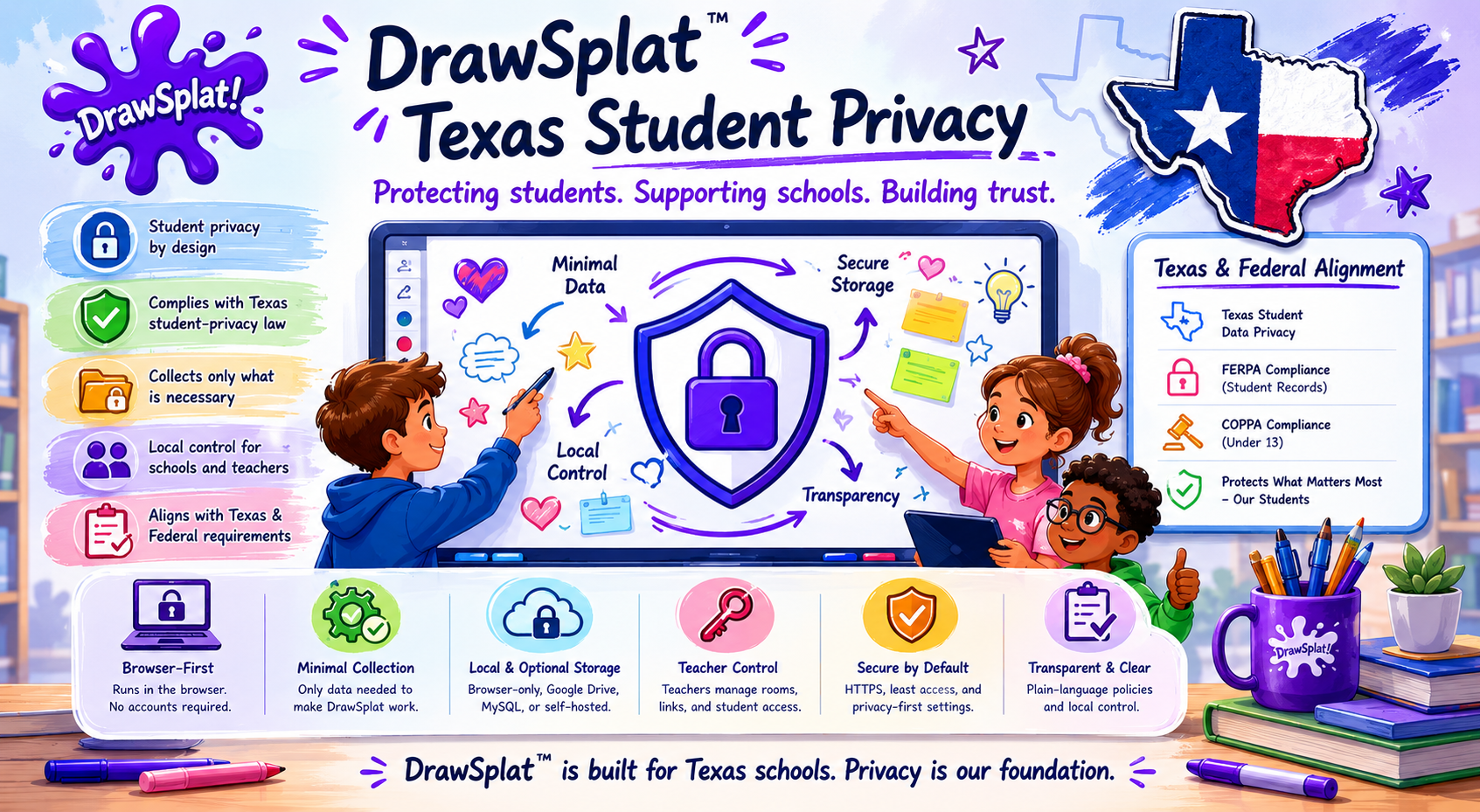
Snapshot of how DrawSplatTM aligns with Texas and federal student-privacy requirements — the detailed mapping starts below.
The laws this page covers
- Texas SCOPE Act (Securing Children Online through Parental Empowerment Act) — protects Texas minors under 18 with rules on age registration, parental controls, harmful-content strategies, and data-use limits. The Texas Attorney General publishes an overview at texasattorneygeneral.gov. Parts have been challenged in court; we implement what is currently in force, not what has been enjoined.
- FERPA (Family Educational Rights and Privacy Act) — federal law giving parents and eligible students rights over education records, including the right to inspect, correct, and control disclosure.
- COPPA (Children's Online Privacy Protection Act) — federal law about collecting personal information from children under 13. In school deployments the district typically acts as the parent's agent for consent.
- Texas Education Code 32.151–32.156 — framework for student data agreements between districts and online service providers.
- CIPA (Children's Internet Protection Act) — federal E-rate requirement that schools and libraries deploy a technology protection measure that blocks visual depictions of obscenity / child pornography / content harmful to minors, plus an internet safety policy. CIPA is a network-level obligation on the district, not a privacy law on the vendor. DrawSplatTM provides supporting features (see “CIPA support statement” below) but does not replace the district's network filter or internet safety policy.
What this looks like in DrawSplatTM
Every requirement below maps to a feature in the app you can demonstrate to a district reviewer, not just a paragraph in the terms.
1. Age registration and locking
SCOPE requires providers to register the age of a person creating an account and prevent that person from later changing it. DrawSplatTM assigns each student record an age band — one of under_13, 13_to_17, 18_plus, or unknown_minor. The band:
- Is server-locked. Students cannot change it.
- Can only be changed by an administrator, and only with a written reason.
- Records every change in the Activity Records audit log (
AGE_BAND_CHANGED) with the old value, new value, who changed it, and why. - Defaults to
unknown_minor— the safest assumption — until a roster import or admin entry provides the actual value.
This is configured in Internal Compliance Console → Student Age Band Lock.
2. Strategies to limit harmful content reaching minors
SCOPE expects providers to have strategies (not perfect filtering) to keep harmful content away from known minors. We layer multiple safeguards:
- Server-enforced text keyword filter. Every save scans sticky notes, text boxes, comments, and board titles. Hits write a
TEXT_FILTER_HITevent and (by default) reject the save. - Link allowlist. Pasted URLs are checked against a district-managed allowlist before save.
- Manual moderation queue. Teachers freeze boards or remove items they find unsafe.
- Audit visibility. Every safety event is logged, so a district can prove ongoing review.
Notable scope limitation: some content-filtering provisions of SCOPE were enjoined by federal court. We do not implement parts that are not currently in force.
3. Parental empowerment
SCOPE and FERPA both give parents tools to oversee their child's online services. DrawSplatTM's Family Access Tools at /parents/ give parents one place to:
- View what data is stored about their student.
- Download a complete ZIP export of their student's boards, turn-ins, and account row (machine-readable manifest + human-readable README).
- Correct account information.
- Delete stored work.
- Pause account access.
- Report a safety concern.
- Ask a privacy question.
Parents are verified through a teacher-issued one-time code — an 8-character alphanumeric value the school passes through its existing parent-communications channel. The code is stored only as a SHA-256 hash, expires in 14 days, and is single-use.
4. Data-use and data-sharing limits
SCOPE and FERPA both restrict how minor-data is used and shared. DrawSplatTM's declarations:
- No advertising. The product has no ad system, no tracking pixels, no third-party analytics scripts. Visit counts come from Cloudflare Pages’ server-side analytics on the static-host CDN, which never adds a beacon or any other request to the visitor’s browser.
- No sale of data. Student data is never sold or licensed to third parties for any purpose.
- No AI training on student data. Student boards and submissions are never used to train AI models — ours or anyone else's.
- Storage stays where you put it. If your district configures the Google Apps Script backend, your data lives in your Google Drive and Sheets. If you self-host with the MySQL backend, the data is on your servers. We don't operate the storage.
- Sub-processors are limited. The only third parties involved are: Google Workspace (if you use the Google backend), Microsoft Identity (if you enable Microsoft sign-in on the Community board), and your static-host CDN (Cloudflare Pages by default).
5. Right to inspect and correct (FERPA)
FERPA gives parents and eligible students the right to inspect education records. The Family Access Tools request workflow and the admin-initiated Export Data button satisfy this end-to-end. Every export logs a DATA_EXPORT event with counts and the supplied reason.
6. Right to consent / withdraw consent
Under FERPA the district controls disclosure of education records. Under COPPA the district acts as the parent's agent for the under-13 cohort. DrawSplatTM defers to district policy — we don't disclose student data to anyone outside the district's own deployment.
7. Right to deletion
The Family Access Tools → Delete workflow lets a parent request and an administrator execute a complete deletion of a student's boards, turn-ins, and account row. Drive files go to trash (recoverable for 30 days at the file owner's discretion); sheet rows are removed. A DATA_DELETED event records counts and the supplied reason.
8. Time-of-use and limits
When enabled, the Compliance Console's Use Limits section enforces daily-minutes caps, session limits, allowed hours of day, and weekend restrictions. The browser locks the workspace at the limit; the server gates save requests so a student cannot bypass the lock by reloading the page.
9. Audit and accountability
The Activity Records log writes a row for every compliance-relevant action: logins, board saves, board freezes, image uploads, parent requests, age-band changes, data exports, data deletions, admin setting changes, retention runs, time-limit hits. Records are filterable, exportable as CSV or JSON, and included in the District Privacy Packet download.
10. Retention and disposal
Districts configure how long boards and audit records persist via the Compliance Console's Retention Policy & Cleanup section. A nightly Apps Script trigger (installable from the same panel) archives boards older than the archive threshold, deletes boards older than the delete threshold, and prunes audit rows older than the keep window. Every run logs a RETENTION_ACTION event.
11. CIPA support statement
The Children's Internet Protection Act (CIPA) is a federal E-rate condition on the school or library: covered institutions must deploy a technology protection measure that blocks visual depictions of obscenity, child pornography, and content harmful to minors, and must adopt an internet safety policy. CIPA is a network-level obligation on the district, not a privacy law on the vendor. DrawSplatTM ships features that support a district's CIPA posture but does not replace the district's filter or internet safety policy:
- Server-enforced link allowlist. Pasted URLs are checked against a district-managed allowlist before save.
- Server-enforced text keyword filter. Hits write a
TEXT_FILTER_HITevent and (by default) reject the save. - Board and room freeze. Teachers freeze a board to block all writes until they unfreeze it.
- Image upload approval queue. Student image uploads land as pending and stay hidden on the student view until a teacher approves them. Rejection trashes the file. Approve / reject decisions are recorded as
IMAGE_APPROVED/IMAGE_REJECTEDevents. - Audit trail. Every safety event is logged, so a district can prove ongoing review.
DrawSplatTM does not replace the district's required network-level internet filter. CIPA compliance also requires an internet safety policy and (in many jurisdictions) ongoing internet-safety education, both of which remain district responsibilities.
The "show me everything in one click" answer
For a district reviewer, signature-ready compliance evidence is one click in Internal Compliance Console → District Privacy Packet → Download District Privacy Packet. The ZIP contains:
- The current compliance configuration (every setting that is on, off, or set to a specific value).
- The last 90 days of Activity Records as CSV.
- All parent-request tickets and their dispositions.
- A README pointing back at Terms & Privacy and the District Addendum.
This is the artifact that goes with your data sharing agreement (DPA) submission.
What this page does not promise
- This page is not legal advice. Specific obligations under your local data sharing agreement or any individual state law require review by your district's counsel.
- Feature parity is not guaranteed across the three deployment modes (browser-only / Apps Script / MySQL). The browser-only mode has no server, so server-side enforcement features do not exist there. See the setup docs for the per-mode capability matrix.
- Some Texas SCOPE Act provisions have been blocked by federal court. We do not implement requirements that are not currently in force.
- Independent audit (SOC 2, ISO 27001, etc.) is not in scope for a free open-source project. Districts that require certified audits should engage paid services or use the self-hosted MySQL backend on infrastructure their existing audits already cover.
Where to read more
- Terms & Privacy — the formal terms-of-service and privacy policy.
- District Privacy Addendum — a signature-ready template districts can attach to their DSA.
- Privacy Notice Builder — a customizable per-deployment privacy notice generator.
- Compliance Operator Guide — how to actually use the Compliance Console day-to-day.
- Compliance Roadmap — the full implementation history and what is still on the horizon.
- Texas AG SCOPE Act overview (external).
- U.S. Department of Education FERPA reference (external).